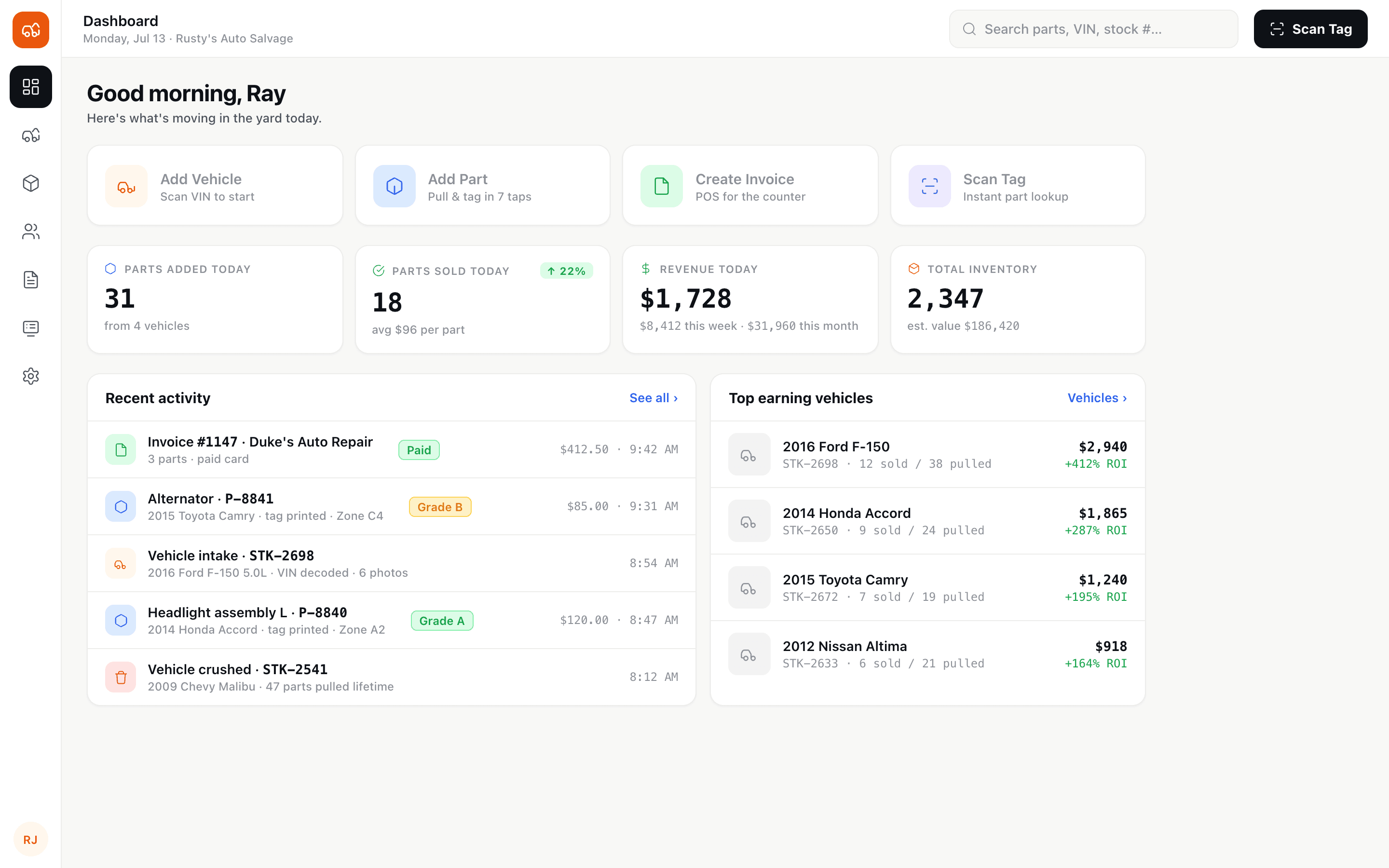
Dashboard
Daily performance snapshot
Parts added, sold, and revenue today — plus quick actions to add a vehicle, add a part, create an invoice, or scan a tag.
Case study · Auto salvage
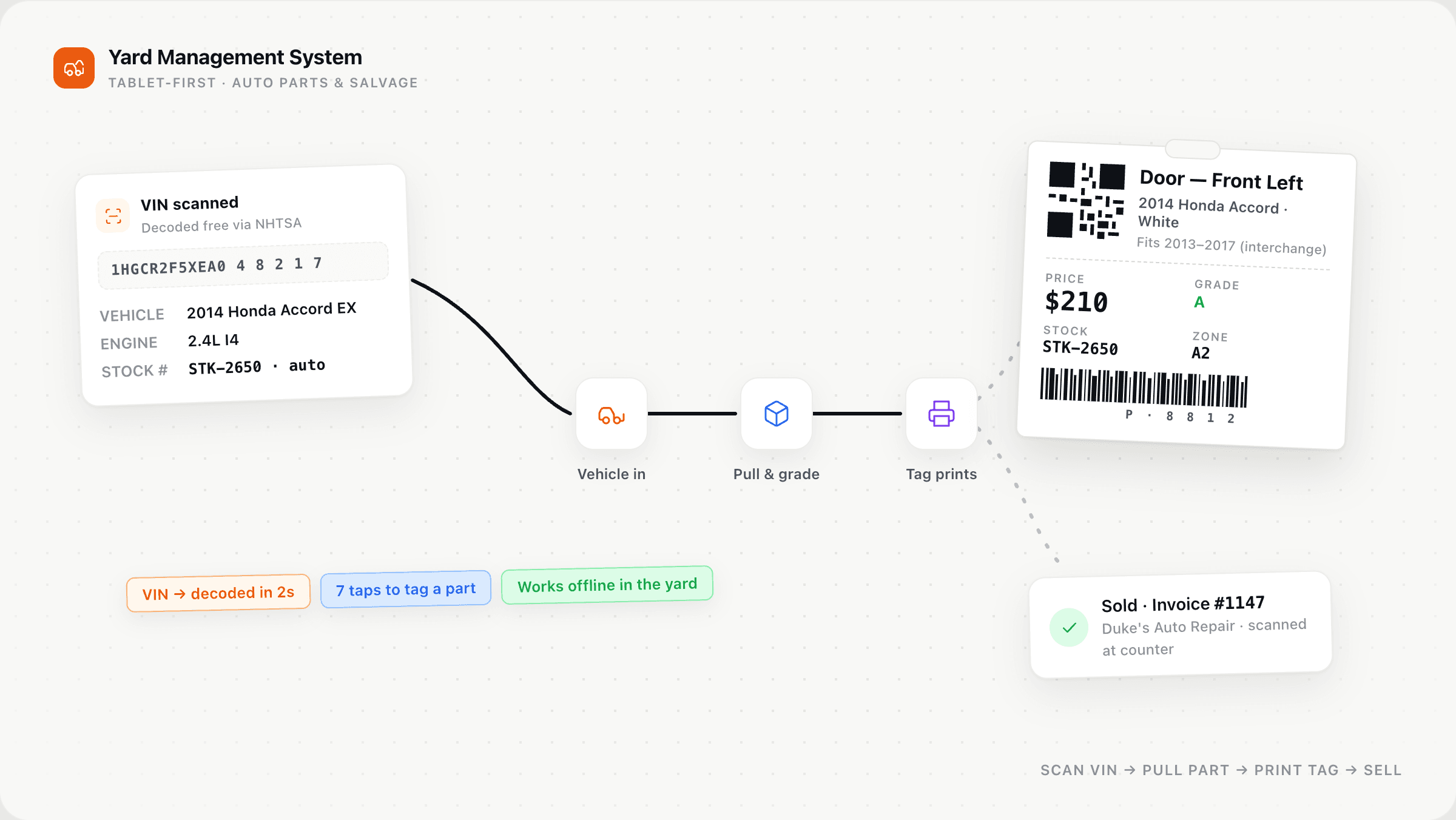
YardYard is a custom management system for a US auto salvage operation — built to replace legacy Checkmate complexity with a fast PWA: scan a VIN, add a part, print a tag, and ring up an invoice from one tablet.
24
Screens across 3 phases
6–8 wks
Full delivery timeline
PWA
Tablet-first, works offline
18
Screens in Phase 1 MVP
The challenge
A US auto salvage yard was running inventory, interchange lookups, tag printing, and invoicing through a legacy system built for power users — not yard workers on tablets. Orders of parts arrived in every format imaginable. Staff re-typed VINs, hunted for compatibility by hand, and printed tags through a workflow nobody could learn in an afternoon. The goal: input inventory fast, print tags instantly, look up part compatibility, create invoices, and track customers — all from a tablet, with zero technical training.
Product screens
Large touch targets, minimal typing, and flows built for speed on a tablet in a salvage yard.
Dashboard
Parts added, sold, and revenue today — plus quick actions to add a vehicle, add a part, create an invoice, or scan a tag.
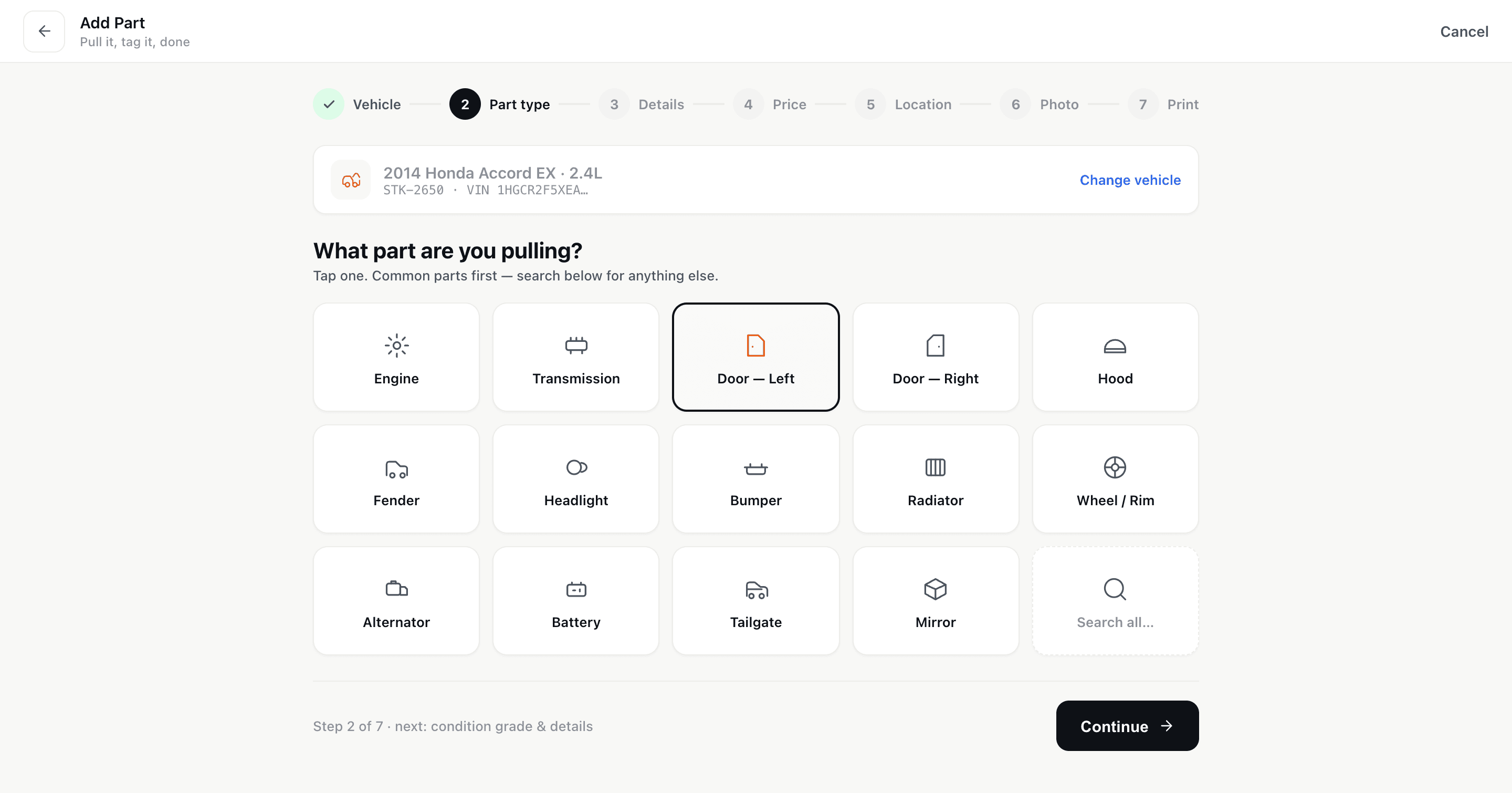
Add part
Icon grid for part types, condition grades, yard zone, camera photos — then save and print a thermal tag in one tap.
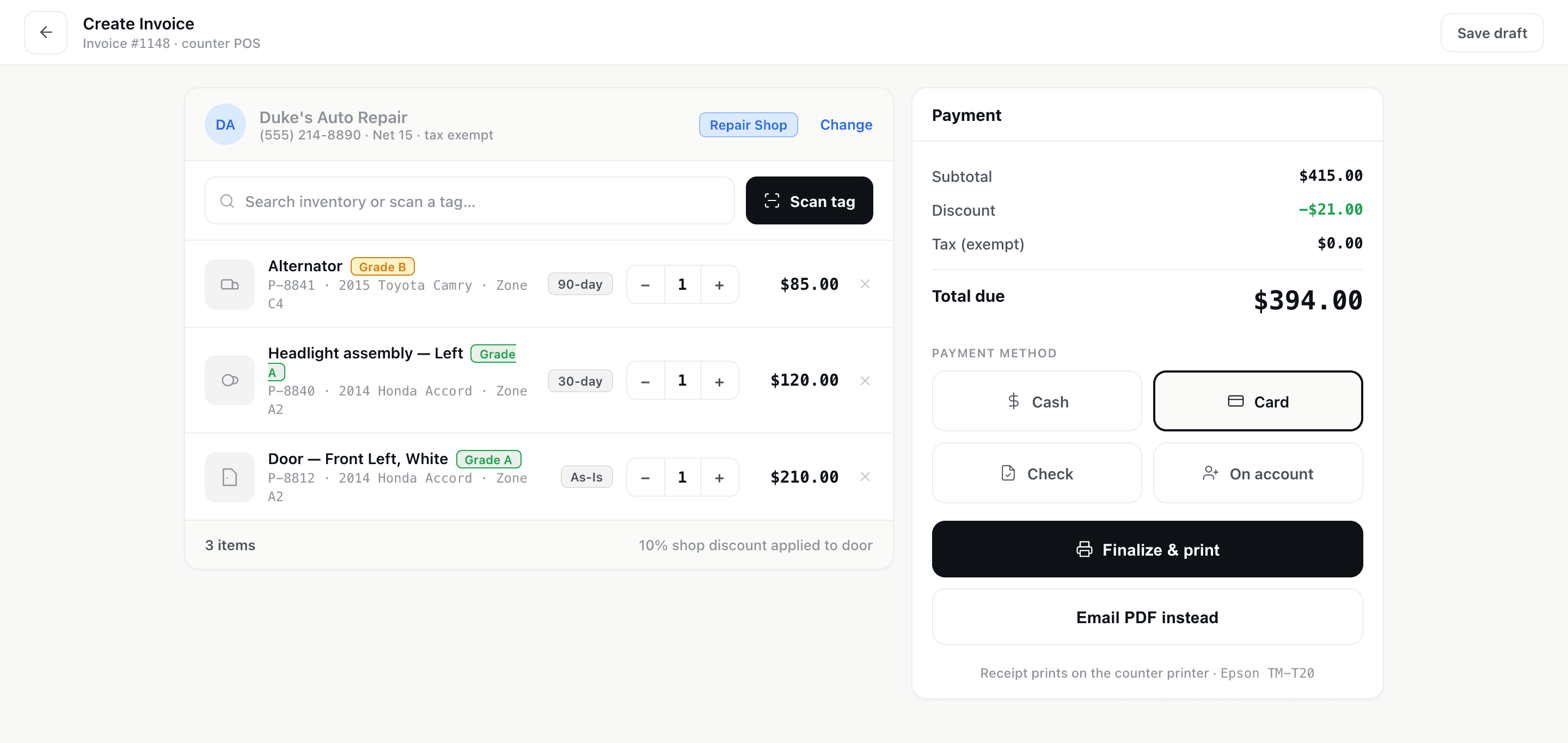
POS / Invoice
Scan a part tag, add line items, apply tax and warranty, and finalize with cash, card, or on-account payment.
What we're building
Phase 1 replaces core Checkmate functionality with a dramatically simpler interface your team can run on day one.
Today's snapshot: parts added, sold, revenue, inventory value, and a live activity feed with quick-action buttons.
VIN scanner via tablet camera → auto-fills year, make, model via NHTSA. Track status, photos, and every part pulled.
Search, filter, barcode scan lookup, and a fast add flow with icon-grid part types and thermal tag printing.
Walk-in, repair shop, wholesale, and insurance customers — purchase history, lifetime spend, and one-tap invoice creation.
Scan tag → line items → tax → warranty → payment. Draft, finalize, print, and track paid/unpaid/overdue.
PIN-based tablet login for yard workers, thermal printer setup, yard zones, tag templates, and role-based access.
Phased delivery
Phase 1 gives the yard a fully working system in 3–4 weeks. Each phase layers capability without disrupting daily operations.
Phase 1
Dashboard, vehicles, parts inventory with scan & print, customers, invoicing/POS, settings, and PIN login — everything needed on day one.
Phase 2
Hollander or Partly API — lookup compatible vehicles, highlight in-stock matches, and print compatible year ranges on tags.
Phase 3
Sales, inventory aging, and customer reports. Returns & credit memos. Bulk tag printing, status changes, and CSV export.
Under the hood
A Progressive Web App that runs in the browser like a native app on any tablet — with offline support for critical tasks and thermal printer integration.
Let's talk
Tell us the workflow or industry on your mind. We'll come back with a scoped plan, timeline, and price — usually within a day.
Operations Teardown
Duration: 3 days
Price:$750 USD
Three workflows you name at kickoff — not the whole business.
If the problem is bigger than three workflows, we'll point you to the full Operations Audit ($2,500).
You get: Workflow map for those three processes, Editable ROI model on those three, Backlog up to five items, cost-banded
Every teardown includes at least one thing we tell you not to build.
You own every artifact, whether or not you build with us.
The same team that scopes your work stays through launch — not a handoff to a ticket queue.